SECURE CODE · VERIFIED AI WORKFLOWS
Secure Software Development with LLMs
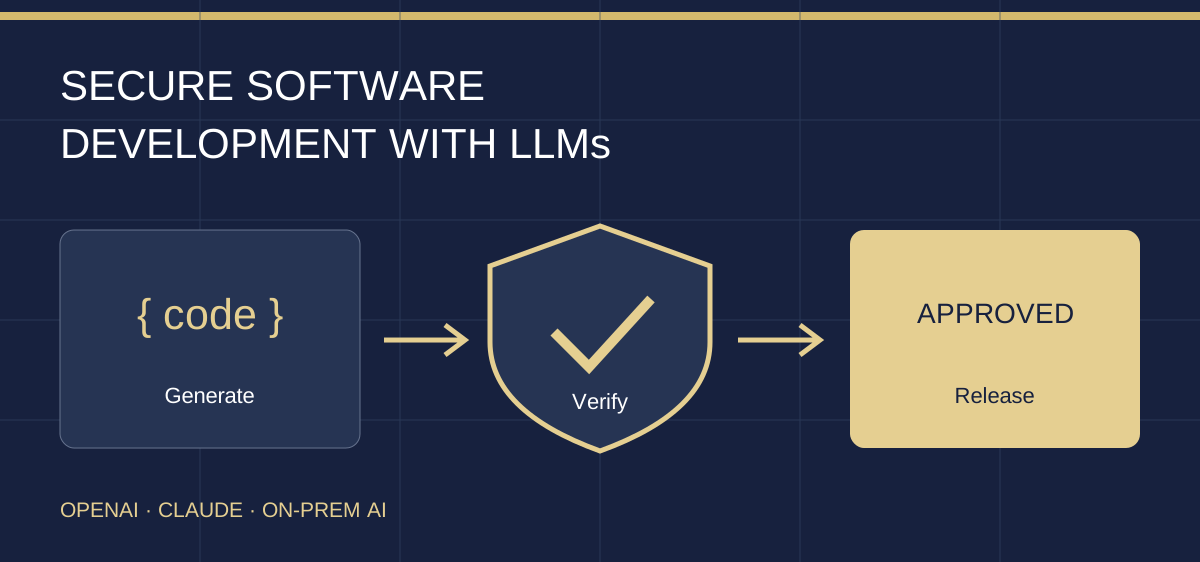
Build with OpenAI, Claude and on-prem LLMs. Repair insecure code, constrain coding agents, audit with Cloudflare’s security-audit skill and verify the changes before release.
INSIDE THE COURSE
Explore the course, chapter by chapter.
This is the current outline of a course in development. Explore the chapters, subchapters and lesson topics below. The programme may change as we develop and review it.
Explore the outline. Open a section to see the lessons and topics inside.
14 lessons shown
Chapter 01Define the change before generating code
Establish the security contract and an inspectable AI-assisted workflow.
1.1Requirements and abuse cases
01Start with a security contract
Turn a feature request into explicit allowed and denied behaviour before generating code.
Topics you will explore
- Apply the boundary to the work
- Brief the assistant before it acts
- Run the exercise
- Inspect the result and explain the evidence
- The situation changes
Includes practical AI use, verification and information risks.
Link to this lesson1.2Bounded generation and review
02Ask for bounded changes and inspect the diff
Direct an LLM with a narrow task, protected checks and evidence-based acceptance.
Topics you will explore
- Apply the boundary to the work
- Brief the assistant before it acts
- Run the exercise
- Inspect the result and explain the evidence
- The situation changes
Includes practical AI use, verification and information risks.
Link to this lessonChapter 02Control the coding agent
Protect the development environment from overreach and untrusted steering.
2.1Runtime permissions
03Bound the coding agent’s environment
Separate agent instructions from enforced file, credential, command and network restrictions.
Topics you will explore
- Apply the boundary to the work
- Brief the assistant before it acts
- Run the exercise
- Inspect the result and explain the evidence
- The situation changes
Includes practical AI use, verification and information risks.
Link to this lesson2.2Repository and issue injection
04Treat repository instructions as untrusted inputs
Recognize malicious steering in issues, code comments, rules files and tool output.
Topics you will explore
- Apply the boundary to the work
- Brief the assistant before it acts
- Run the exercise
- Inspect the result and explain the evidence
- The situation changes
Includes practical AI use, verification and information risks.
Link to this lessonChapter 03Repair the application boundaries
Implement tenant authorization and safe query/output handling.
3.1Identity and object access
05Repair tenant isolation and object authorization
Implement fail-closed tenant, role and ownership checks while preserving legitimate use.
Topics you will explore
- Apply the boundary to the work
- Brief the assistant before it acts
- Run the exercise
- Inspect the result and explain the evidence
- The situation changes
Includes practical AI use, verification and information risks.
Link to this lesson3.2Data and interpreter boundaries
06Keep data separate from queries and markup
Repair unsafe query construction and output handling without breaking ordinary input.
Topics you will explore
- Apply the boundary to the work
- Brief the assistant before it acts
- Run the exercise
- Inspect the result and explain the evidence
- The situation changes
Includes practical AI use, verification and information risks.
Link to this lessonChapter 04Protect dependencies and information
Review what enters the build and what leaves the application.
4.1Dependency evidence
07Review suggested dependencies before installation
Reject unsupported package claims and evaluate the actual dependency change.
Topics you will explore
- Apply the boundary to the work
- Brief the assistant before it acts
- Run the exercise
- Inspect the result and explain the evidence
- The situation changes
Includes practical AI use, verification and information risks.
Link to this lesson4.2Secrets and diagnostic data
08Keep secrets out of prompts, logs and artifacts
Minimize diagnostic data while preserving useful audit context and a response path.
Topics you will explore
- Apply the boundary to the work
- Brief the assistant before it acts
- Run the exercise
- Inspect the result and explain the evidence
- The situation changes
Includes practical AI use, verification and information risks.
Link to this lessonChapter 05Verify LLM features and audit with Claude
Constrain retrieval and actions, challenge checks and use Cloudflare’s security-audit skill.
5.1LLM boundaries and independent testing
09Build safe LLM features and tool boundaries
Enforce retrieval and action authorization outside the model before and after generation.
Topics you will explore
- Apply the boundary to the work
- Brief the assistant before it acts
- Run the exercise
- Inspect the result and explain the evidence
- The situation changes
Includes practical AI use, verification and information risks.
Link to this lesson10Challenge the fix with independent checks
Use negative cases, a controlled regression and a review record to detect false confidence.
Topics you will explore
- Apply the boundary to the work
- Brief the assistant before it acts
- Run the exercise
- Inspect the result and explain the evidence
- The situation changes
Includes practical AI use, verification and information risks.
Link to this lesson5.2Claude + Cloudflare audit and remediation
11Run a scoped Claude audit with Cloudflare’s skill
Install a reviewed skill revision and direct an evidence-led source audit of the teaching app.
Topics you will explore
- Apply the boundary to the work
- Brief the assistant before it acts
- Run the Claude and Cloudflare workshop
- Inspect the result and explain the evidence
- The situation changes
Includes practical AI use, verification and information risks.
Link to this lesson12Verify audit findings, repair and re-audit
Reproduce the relevant boundary, distinguish uncertainty and test remediation without losing evidence.
Topics you will explore
- Apply the boundary to the work
- Brief the assistant before it acts
- Run the Claude and Cloudflare workshop
- Inspect the result and explain the evidence
- The situation changes
Includes practical AI use, verification and information risks.
Link to this lessonChapter 06Release and respond responsibly
Tie approval to the artifact and rehearse a security regression.
6.1Release evidence and rollback
13Release only the artifact you reviewed
Bind approval to an exact artifact and retain rollback, monitoring and CI trust boundaries.
Topics you will explore
- Apply the boundary to the work
- Brief the assistant before it acts
- Run the exercise
- Inspect the result and explain the evidence
- The situation changes
Includes practical AI use, verification and information risks.
Link to this lesson6.2Investigation and response capstone
14Capstone: respond to a security regression
Use AI assistance to investigate a faulty change, contain exposure and verify a safe repair.
Topics you will explore
- Apply the boundary to the work
- Brief the assistant before it acts
- Run the exercise
- Inspect the result and explain the evidence
- The situation changes
Includes practical AI use, verification and information risks.
Link to this lessonNo lessons match your search. Try another topic or clear the search.
HOW YOU WILL WORK
From an AI-generated change to a verified release.
Follow a fictional multi-company support application through requirements, code repair, independent testing, audit and response. Learn to use coding assistants without delegating away security decisions.
Repair real boundary failures
Use downloadable JavaScript exercises to fix tenant isolation, unsafe query construction, output handling, secret leakage and overprivileged model tools.
Audit with Claude and Cloudflare’s skill
Install a reviewed skill revision, run a scoped audit, inspect structured findings, challenge the evidence and compare the repaired source in a second review.
Control the agent and the release
Define effective permissions, recognize hostile repository content, review dependencies, preserve independent checks and bind release approval to the actual artifact.
English-only draft with visual slides, original diagrams, step-by-step workbooks and an offline lab. Core exercises need no paid AI. The live Claude workshop uses your own approved account and review environment; no subscription is included.
AI
Practical AI use, with human judgement.
This course includes role-specific ways to use approved AI assistance, relevant AI threats and failure cases, and checks for evidence, data handling and human approval. Optional prompts use fictional information; an AI account is not required.
AI examples are practical learning activities. They do not add statutory training requirements or replace your organisation’s policies, qualified advice or accountable decisions.